Melta
Your coding agents, made for your phone.
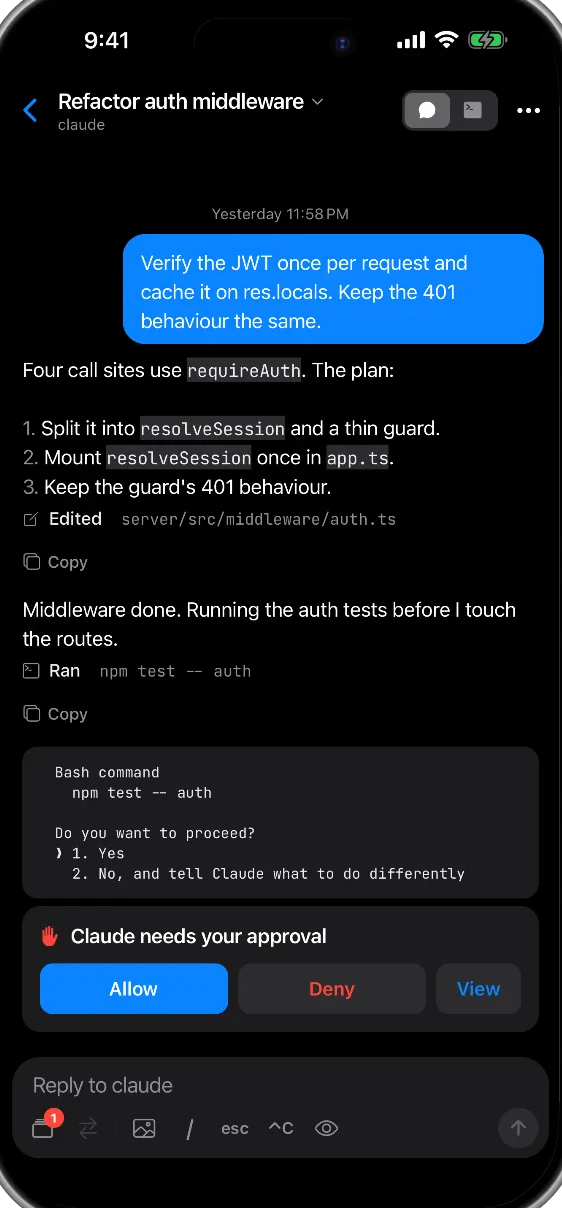
Jump to any pane in one tap, chat with Claude Code and Codex, and get a push the moment an agent needs you. Melta connects straight from your phone to your computer over SSH.
Names of parts
- Status
- Waitlist open
- Works on
- iPhone and Android
- Connects by
- SSH from your phone, no relay server
- Agents
- Claude Code and Codex, through Herdr
- Price
- Free
How to use
Get on your network
Install Tailscale on your phone, or use any SSH route you already have.
Paste one command
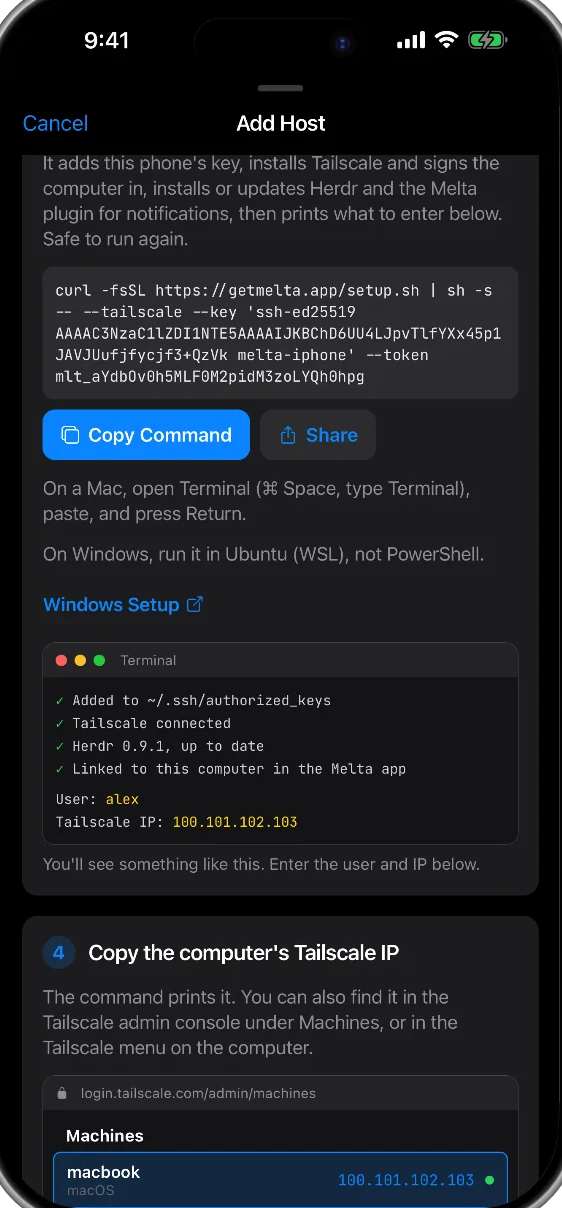
Melta makes a key for your phone and shows one command to paste into your computer’s terminal.
Reach your agents
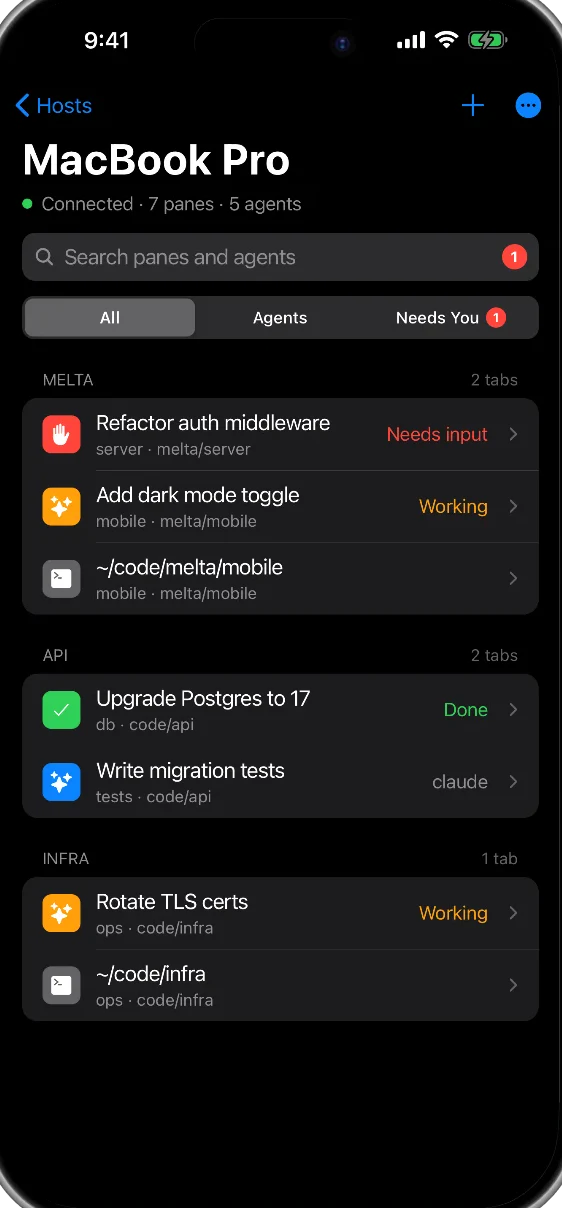
Every pane on your computer appears in the app, grouped by what needs you.
What else it does
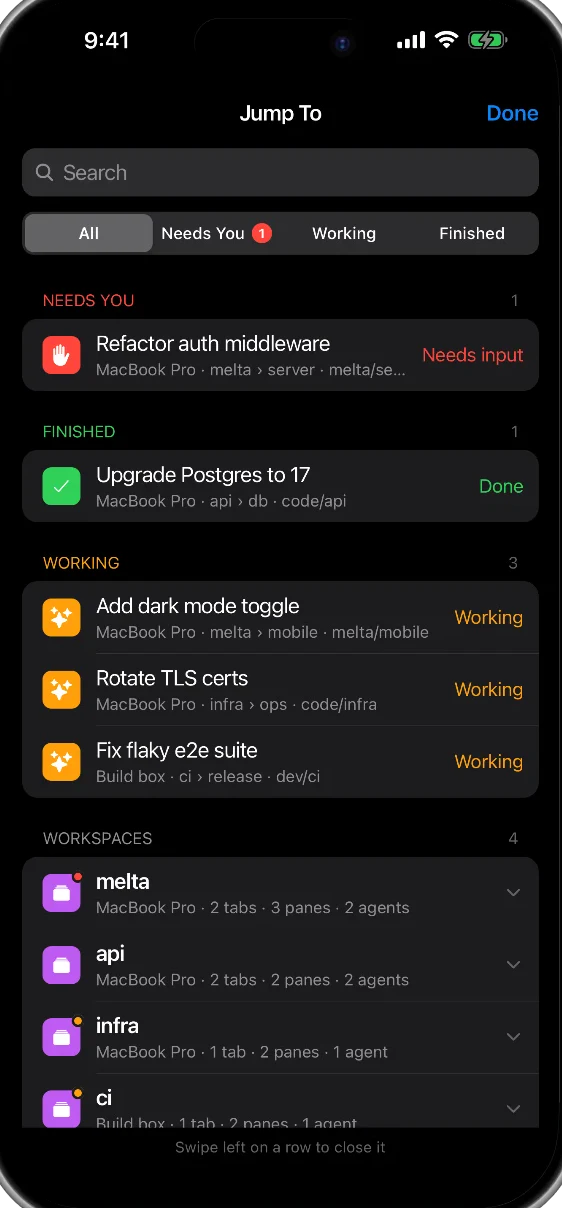
Jump To
Search every pane and agent across your connected computers. What needs you sits at the top.
Needs-you notifications
A push when an agent is blocked or finished. Allow or deny right from the notification.
Last pane
One key flips between the two panes you’re working in, each in the view you left it.
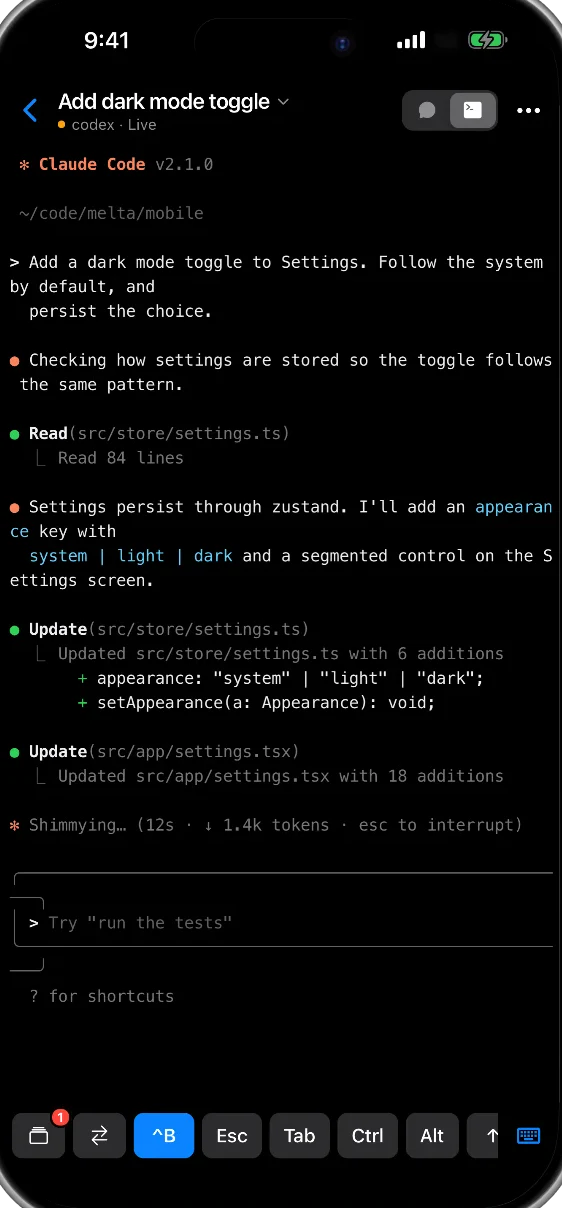
A real terminal
Every pane opens full screen, with your prefix one button away.
Picks up where you left off
Lose the signal and Melta retries, then reconnects when you come back to the app.
Share a chat
Send a link to a read-only copy of an agent conversation, for a review or a bug report.
Troubleshooting
Does my code pass through a server?
No. There is no relay server. SSH runs on your phone and connects straight to your computer.
Which agents does it work with?
Claude Code and Codex, running in Herdr on your computer.
Can I use a normal terminal too?
Yes. Every pane can open as a real full-screen terminal.
How do I get it?
Join the waitlist at getmelta.app.
Get Melta
Join our journey.
One email a week: what we built, what broke, and what we learned.
We’ll send one email to confirm. Unsubscribe with one click, any time. See our privacy note.