VB Notes
Notes that stay yours.
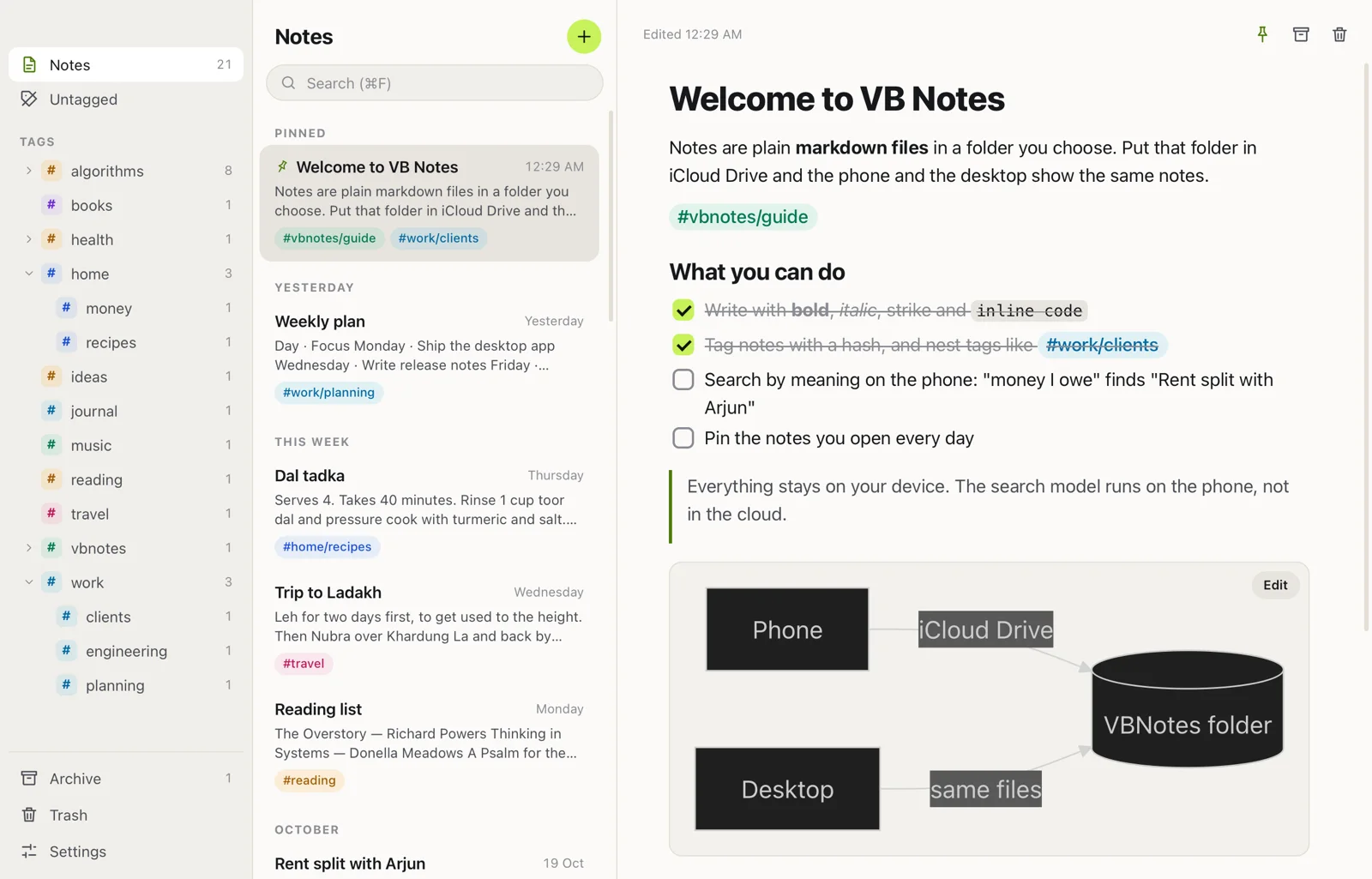
Every note is a plain markdown file in a folder you choose, and search finds them by what they mean. Free, with no account.
Names of parts
- Works on
- iPhone, Android, Mac, Windows, Linux
- Account
- None
- Your notes
- Plain markdown files
- Size
- 15 MB on the Mac
- Price
- Free, no ads, open source
How to use
Choose a folder
Your notes live as plain files in a folder you pick, on the device or in iCloud Drive.
Write
The page opens ready to type, with formatting keys over the keyboard.
Find it later
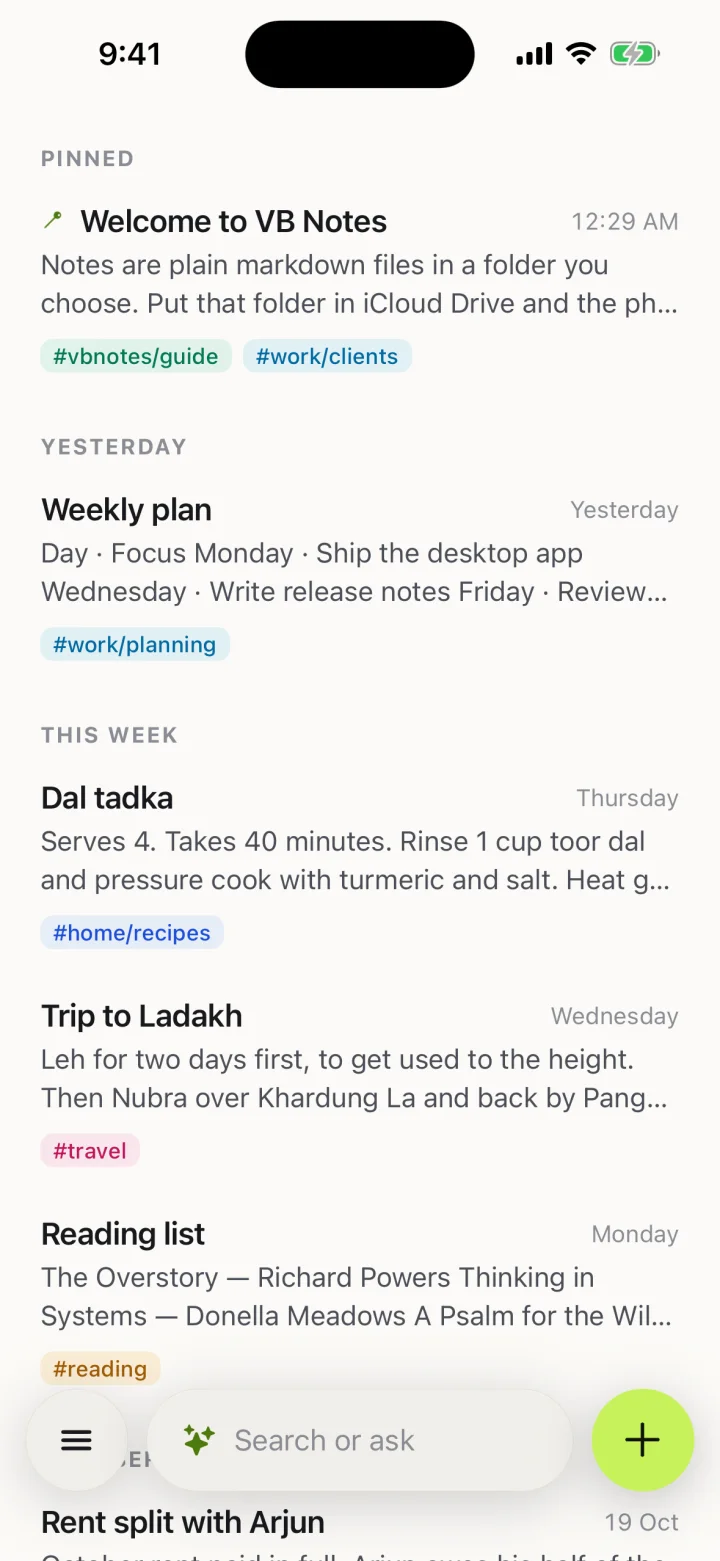
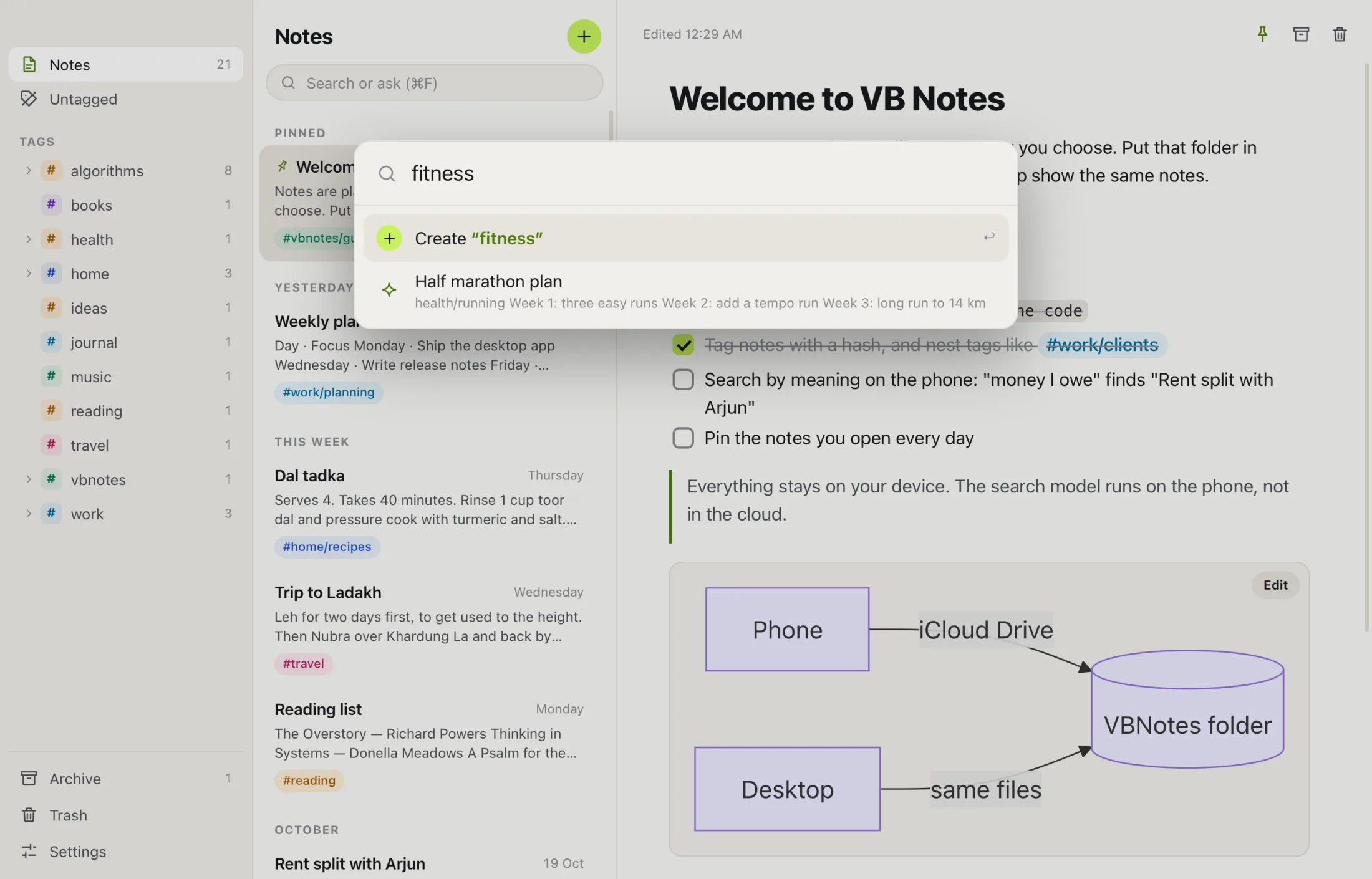
Ask in your own words. Search by meaning finds the note even when you can’t remember a word of it.
What else it does
One note leads to the next
Type two square brackets and the start of a title. Pick a note and the link is written for you.
Ask about your notes
Chat with an AI about one note or all of them. It’s off until you turn it on, and it runs on your own account.
Made for the phone first
A clean page that opens ready to type, and your library one swipe away.
Rust, not Electron
The desktop app is built with Tauri on your system’s own web view, so it doesn’t ship a copy of Chrome.
Everything a note needs
Photos, audio, tables, code and diagrams, all in the same plain file.
Exact words still work
Search by the words you remember and results come back at once.
Troubleshooting
Do I need an account?
No. VB Notes has no account and no server of its own to send your notes to.
Is search by meaning private?
Yes. The model runs on your device, so your notes are never sent anywhere to be searched.
Can other apps read my notes?
Yes. Notes are plain markdown files, so any app that opens a folder can read them.
Is VB Notes open source?
Yes. The code is on GitHub under the MIT licence.
Get VB Notes
Join our journey.
One email a week: what we built, what broke, and what we learned.
We’ll send one email to confirm. Unsubscribe with one click, any time. See our privacy note.